
All posts by Joe Laratro

Denial-of-Service Protection for Colocation: What Businesses Should Know
A denial-of-service attack can make a website, application, or network resource unavailable by overwhelming or disrupting the systems that legitimate users depend on. For businesses running critical infrastructure in a colocation environment, that makes DoS protection an important part of the broader network security conversation.
LightWave Networks provides colocation, network connectivity, monitoring, and managed networking services for businesses with a range of infrastructure needs. Understanding how denial-of-service attacks work can help organizations evaluate their risks and determine what protections they should discuss with their IT teams and colocation providers.
What Is Denial of Service?
Denial of service, commonly abbreviated as DoS, describes an attack intended to prevent legitimate users from accessing a network, system, application, or other resource.
An attacker may accomplish this by consuming available bandwidth, overwhelming a server with requests, exploiting how a network protocol handles traffic, or exhausting other resources needed to keep a service available.
A distributed denial-of-service attack, or DDoS attack, follows the same general objective but uses multiple systems to generate the attack traffic. The distributed nature of a DDoS attack can make malicious traffic more difficult to distinguish and block.
Whether an attack comes from one source or many, the primary target is availability.
How Does a Denial-of-Service Attack Work?
A denial-of-service attack works by creating more traffic, requests, or resource demand than the targeted system can effectively handle.
Consider a web server that can process a certain number of requests at one time. If malicious traffic consumes its available capacity, legitimate visitors may encounter slow responses, connection failures, or an unavailable service. This is one example of a denial-of-service attack, but attackers can also target network bandwidth, applications, or other infrastructure resources.
The result does not have to be a complete outage. A DoS (denial of service) incident may degrade performance enough to interfere with normal operations even when some users can still connect.
For a business, that disruption can affect websites, customer portals, internal applications, communication systems, or other services that depend on network availability.
What Are the Main Denial-of-Service Types?
Denial-of-service types vary according to the resource or layer being targeted.
Volumetric attacks attempt to consume available bandwidth with large amounts of traffic. Protocol-based attacks can consume resources in network devices or servers by taking advantage of how certain protocols handle connections or requests. Application-layer attacks focus on applications or services, often by generating requests that require significant processing resources.
DDoS attacks can increase the scale of these techniques by directing traffic from numerous systems toward the same target.
Understanding the type of attack matters because there is no single denial-of-service solution that addresses every scenario. Effective protection depends on where the attack occurs, what resources it targets, and how the affected infrastructure is configured.
Why Does Denial-of-Service Protection Matter for Colocation?
Colocation moves business-owned servers and networking equipment into a professionally operated data center, but the customer still has an important role in protecting the systems running on that hardware.
Physical data center security cannot prevent every network-based attack. A server can remain safely locked in a cabinet with redundant power and cooling while still becoming unreachable because malicious traffic is consuming network or system resources.
That is why businesses evaluating colocation should consider both the facility and the network supporting it.
Network capacity, connectivity, monitoring, routing, firewall management, and access to technical support can all influence how an organization prepares for and responds to availability threats.
LightWave Networks’ colocation services include network connectivity through an IPv4 and IPv6-enabled, fully redundant BGP network. LightWave also provides 24/7 network monitoring and dedicated bandwidth options as part of its broader infrastructure services.
What Can Denial-of-Service Protection Include?
Denial-of-service protection is usually layered because attacks can target different resources in different ways.
Depending on the environment and threat, defensive measures may include traffic monitoring, firewall rules, filtering, rate limiting, routing changes, upstream provider coordination, capacity planning, and controls designed to identify or reduce suspicious traffic.
Some providers may describe these capabilities as denial-of-service programs, denial-of-service mitigation, DDoS mitigation, or related network security services. The terminology matters less than understanding exactly what the protection covers.
Businesses should determine where traffic is monitored, what happens when abnormal activity is detected, who is responsible for responding, and whether additional providers or services are involved in mitigation.
Denial-of-Service Prevention and Mitigation Are Different
It is useful to distinguish denial-of-service prevention from denial-of-service mitigation.
Prevention focuses on reducing vulnerabilities and making infrastructure less susceptible to disruption. This can include secure configuration, software updates, disabling unnecessary services, appropriate firewall controls, capacity planning, and ongoing monitoring.
Mitigation focuses on reducing the effect of an attack that is already occurring. Depending on the attack and network architecture, denial-of-service mitigation may involve filtering traffic, limiting certain requests, changing routes, blocking malicious sources, or coordinating with upstream network providers.
No denial-of-service prevention strategy can guarantee that an organization will never experience an attack. The goal is to reduce exposure, improve resilience, and establish a response plan before a disruption occurs.
What Should You Ask a Colocation Provider About DoS Risks?
DoS planning should happen before an attack rather than during one.
When evaluating a colocation provider, ask how the network is monitored and what happens when unusual traffic patterns are detected. Find out what firewall, routing, and managed networking options are available and what responsibilities remain with your internal team.
It is also important to understand how the provider communicates during network incidents, whether it coordinates with upstream carriers when necessary, and what options may be available if your infrastructure becomes the target of unusually high traffic.
LightWave Networks offers managed network services that include network monitoring and management of firewalls and other network components. Businesses with specific DoS concerns should discuss their architecture and requirements directly with the provider rather than assuming a particular level of protection is automatically included with colocation.
Build DoS Planning Into Your Colocation Strategy
Denial-of-service attacks target availability, which makes them especially important for organizations that depend on continuous access to websites, applications, and network services.
A strong colocation strategy should consider more than physical space, power, and cooling. Network architecture, monitoring, connectivity, security responsibilities, and incident response can all affect how resilient your infrastructure is when abnormal or malicious traffic appears.
LightWave Networks provides colocation and network infrastructure services designed around individual business requirements. Reach out to LightWave Networks to discuss your denial-of-service concerns, current infrastructure, and the protections you may need in a colocation environment.
SOURCE:
Reducing Latency With Multi-Location Colocation Strategies
Network latency can affect application performance, data transfers, cloud connectivity, and communication between systems in different locations. For organizations with users or workloads spread across multiple regions, relying on one centralized data center can create longer network paths than necessary.
At LightWave Networks, we provide colocation and network connectivity solutions for businesses with distributed infrastructure needs. A multi-location colocation strategy can help reduce latency by placing infrastructure closer to the users, applications, clouds, or systems that depend on it. Connecting those locations through a data center interconnect can also create more direct and predictable paths for traffic moving between facilities.
What Is Network Latency?
Network latency is the amount of time it takes for data to travel between points on a network. High latency means that the trip takes longer, which can create delays in applications, communications, and other workloads.
Physical distance is one factor. Network congestion, routing paths, intermediary networks, equipment, and the number of network hops can also affect latency.
Bandwidth and latency measure different aspects of network performance. Increasing bandwidth gives a network more capacity to move data, but it does not necessarily reduce delays caused by distance or inefficient routing.
For organizations operating across multiple regions, lowering latency may require changes to where infrastructure is located and how those locations connect.
How Can Multi-Location Colocation Reduce Latency?
A multi-location colocation strategy distributes infrastructure across more than one facility based on where network traffic needs to travel.
For example, an organization serving users in both Massachusetts and Texas may experience unnecessary delay if all application traffic must travel to a single region. Placing appropriate workloads closer to users can shorten the network path.
This is one reason data center location matters when planning infrastructure. Geographic placement can affect latency, connectivity, redundancy, and disaster recovery planning.
Some businesses use edge colocation to place infrastructure even closer to users or data sources. A broader multi-site strategy applies a similar principle by selecting colocation facilities based on regional infrastructure and connectivity needs.
The goal is not simply to use more data centers. Each location should serve a specific operational or network purpose.
What Is a Data Center Interconnect?
A data center interconnect, or DCI, connects two or more data center environments so they can exchange data as part of a broader network.
Instead of operating each colocation data center as an isolated environment, data center interconnection can support application traffic, replication, backups, distributed workloads, private data transport, and communication between systems in different regions.
A data center interconnect architecture can use different connectivity options depending on bandwidth, distance, redundancy, security, and performance requirements.
Private connectivity can provide a more controlled path between facilities than sending inter-site traffic across the public internet. Cross-connects and other connectivity options can also link colocated infrastructure to cloud providers, offices, internet exchanges, third-party data centers, and external networks.
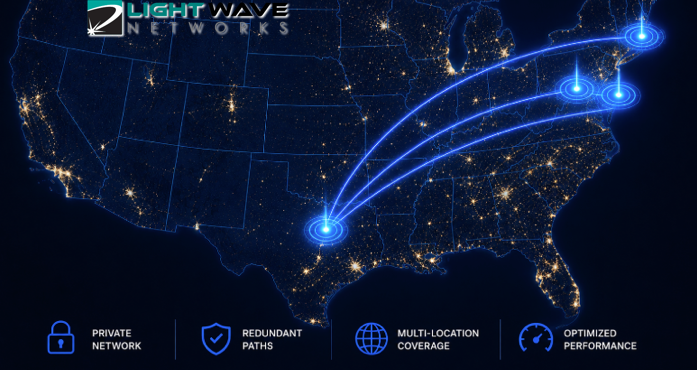
LightWave Networks provides a private data center interconnect network between its colocation facilities in Boston, Dallas, Philadelphia, and Edison, New Jersey. Customers can use this network for private data transport between two or more of these locations, including replication and other mission-critical services.
How Do You Reduce Network Latency Across Multiple Locations?
Reducing latency starts with understanding where delays occur and how traffic moves through the existing network.
Organizations should identify which applications or connections experience latency, then determine where their users, workloads, cloud resources, databases, and other dependencies are located. This can show whether traffic is traveling farther than necessary or relying on inefficient routes.
From there, businesses can evaluate whether additional colocation facilities would improve network performance. A second location may place applications closer to regional users, create geographic redundancy, improve connectivity to another network, or support disaster recovery.
The connection between facilities also matters. Data center interconnectivity should be selected based on expected traffic volume, latency requirements, redundancy needs, and the systems communicating across the network.
Internet-facing traffic introduces another consideration. Blended BGP IP transit can provide access to multiple upstream internet providers rather than relying on one carrier. This can support route diversity and failover, although BGP does not automatically select the route with the lowest latency.
Finally, network conditions should be monitored as traffic patterns, applications, and infrastructure change. Managed networking can help organizations maintain and monitor distributed environments without requiring internal teams to manage every network component.
When Does a Multi-Location Colocation Strategy Make Sense?
Not every business needs infrastructure in multiple colocation facilities. A single facility may be appropriate when users and systems are geographically concentrated or when latency is not a significant concern.
Multi-location colocation may be a better fit for organizations with distributed users, latency-sensitive applications, infrastructure in multiple regions, private data transport requirements, or geographic redundancy needs.
It can also support hybrid environments where colocated hardware, cloud platforms, offices, and third-party systems need reliable connectivity.
The decision should be based on measurable network and business requirements, including latency, connectivity, redundancy, and regional infrastructure needs.
Build a Multi-Location Colocation Strategy With LightWave Networks
A well-planned multi-location colocation strategy combines the right facilities, network connectivity, and data center interconnection to support performance across distributed infrastructure. LightWave Networks can help businesses evaluate where infrastructure should be located and how those environments should connect based on performance, redundancy, and operational requirements.
Contact LightWave Networks to discuss a multi-location colocation strategy built around your network needs.
Frequently Asked Questions
What does high latency mean?
High latency means data takes longer to travel between points on a network. Physical distance, congestion, routing paths, intermediary networks, equipment, and application architecture can all contribute to increased latency.
How do I reduce latency between data centers?
Businesses can reduce latency between data centers by evaluating the distance between facilities, routing paths, network congestion, and the type of connectivity between locations. A more direct data center interconnect may help shorten unnecessary network paths and provide more predictable connectivity between sites.
Does increasing bandwidth reduce latency?
Increasing bandwidth can reduce latency when limited capacity or network congestion is contributing to delays. However, additional bandwidth does not eliminate latency caused by physical distance, inefficient routing, or other network conditions.
When to Move From Shared Hosting to Colocation
Shared hosting gives businesses an accessible way to launch and maintain a website without buying equipment or managing a physical server. For many smaller websites, it remains a practical and cost-effective choice.
As a business grows, however, its website and applications may demand more performance, security, customization, and reliability than a shared environment can consistently provide. Lightwave Networks helps businesses evaluate those changing infrastructure needs and determine whether colocation services are the right next step.
Moving from shared hosting to colocation is not simply an upgrade to a larger hosting package. Understanding the difference can help you decide whether your business is ready.
What Is Shared Hosting?
With shared hosting, multiple customers use resources from the same physical server. The hosting provider manages the hardware, operating environment, maintenance, and much of the underlying infrastructure.
This arrangement keeps costs and technical responsibilities relatively low. It can work well for informational websites, smaller online stores, blogs, and organizations with modest traffic and standard software requirements.
The tradeoff is limited control. Customers generally cannot choose their own hardware, make extensive server-level changes, or reserve all system resources for their exclusive use.
What Is Colocation?
Colocation allows a business to place its own servers and related equipment inside a professional data center. The colocation provider supplies the physical environment, including power, cooling, connectivity, physical security, and space.
The customer retains control over the hardware and usually remains responsible for its operating systems, software, and configurations. Some colocation service providers also offer managed support for businesses that need help maintaining their equipment.
Signs Your Business May Be Outgrowing Shared Hosting
A slow website does not automatically mean that colocation is necessary. Performance problems can come from inefficient code, oversized images, outdated plugins, poor database maintenance, or a hosting plan that simply needs more resources.
Colocation becomes worth considering when the limitations are broader and more persistent.
Your Performance Needs Are Becoming Predictable and Substantial
Shared hosting distributes server resources among multiple customers. If your business runs high-traffic websites, resource-intensive applications, large databases, or demanding internal systems, that shared environment may no longer provide enough consistency.
Colocation gives your organization dedicated access to the capacity of its own equipment. You can select hardware based on known workloads instead of relying on the limits of a standardized hosting plan.
You Need More Control Over the Hardware
Most hosting services allow customers to choose among predefined plans. Colocation gives businesses direct control over processors, memory, storage, networking equipment, and other hardware components.
That control may matter when your organization needs specialized configurations, proprietary systems, custom appliances, or equipment that a conventional hosting provider does not offer. AI training, GPU hosting, and other compute-intensive workloads may also require dedicated hardware selected for a specific technical purpose.
Security or Compliance Requirements Have Changed
Growing businesses may face stricter requirements involving data access, system configurations, audit documentation, or physical infrastructure.
Shared hosting can provide appropriate security for many websites, but it offers limited control over the underlying environment. Colocation can give an organization more authority over its own systems while placing the hardware in a professionally operated facility.
The right choice still depends on the specific regulation, workload, and security framework involved. Colocation does not create compliance automatically.
Downtime Has Become More Expensive
A small website may tolerate an occasional interruption with limited consequences. An organization that depends on online transactions, customer portals, internal applications, or real-time data may face much greater costs when systems become unavailable.
Colocation facilities are designed to support reliable operations through redundant power, cooling, connectivity, and physical protections. Businesses can also build redundancy into their own hardware and network architecture.
Your Team Can Manage Physical Infrastructure
Colocation transfers more responsibility to the customer than shared hosting does. Your business must be prepared to purchase, configure, monitor, maintain, and eventually replace its equipment.
That does not mean every task must be performed internally. Colocation managed services may provide remote hands, monitoring, maintenance, or other technical support. The business still needs a clear plan for hardware ownership and system administration.
Should You Move to VPS or Dedicated Hosting First?
For many businesses, the answer is yes.
A virtual private server can provide more dedicated resources and configuration flexibility without requiring the customer to own physical hardware. Dedicated hosting provides access to an entire server operated within the hosting provider’s environment.
These options can be appropriate when shared hosting has become restrictive but the business is not ready to purchase and manage its own infrastructure.
Colocation becomes more compelling when hardware ownership, custom configurations, long-term capacity planning, or direct infrastructure control are central requirements. It should solve a defined business or technical problem, not simply serve as the next item on an upgrade ladder.
Questions to Ask Before Choosing Colocation
Before making the move, identify the systems that will be colocated, their current resource use, expected growth, security requirements, connectivity needs, and tolerance for downtime.
You should also calculate the full cost of ownership. Colocation services pricing is only one part of the investment. Hardware purchases, software licensing, technical labor, maintenance, backups, network design, and equipment replacement may also affect the total cost.
A qualified provider can help evaluate cabinet space, power density, bandwidth, redundancy, physical access, remote support, and future expansion needs.
Is It Time to Move Beyond Shared Hosting?
Shared hosting remains useful when a business needs a straightforward, provider-managed environment for a website with standard requirements.
Colocation may be the right fit when your organization needs consistent performance, greater hardware control, specialized configurations, stronger infrastructure planning, and room to scale its physical systems.
Lightwave Networks provides colocation facilities and infrastructure support for businesses with evolving technology needs. Connect with one of our engineers to discuss your current environment and determine whether colocation, dedicated hosting, or another solution fits your next stage of growth.
Colocation for Data Center Compliance, Security, and Performance
Organizations in regulated and data-intensive industries need infrastructure that supports security, reliability, performance, and control. As those requirements become more complex, maintaining critical equipment in an office server room or private facility may no longer be practical.
Colocation allows an organization to own and manage its servers while placing them inside a professional data center. LightWave Networks provides the power, cooling, connectivity, physical security, and facility support needed to operate that equipment.
For some organizations, colocation supports data center compliance efforts. For others, it provides the capacity and flexibility required for specialized or high-performance workloads.
How Colocation Supports Compliance and Performance
Colocation does not make an organization compliant with a law, regulation, or industry standard. Compliance also depends on system configurations, software security, access permissions, data handling, documentation, vendor relationships, and internal procedures.
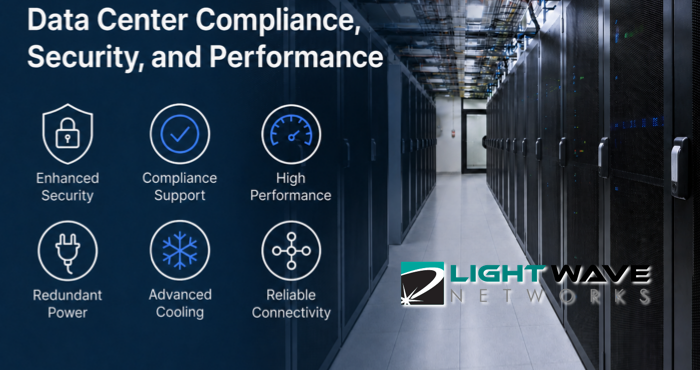
A colocation facility can support those efforts through controlled physical access, secure cabinets, monitored environments, redundant infrastructure, and documented operating practices. Organizations should confirm which standards a facility supports and how responsibilities are divided between the provider and customer.
Colocation also gives customers direct control over their hardware, storage, networking, and system architecture. This flexibility is valuable when standardized hosting or cloud plans cannot meet a workload’s configuration, latency, power, cooling, or capacity requirements.
Financial Services
Banks, payment processors, investment firms, insurance companies, and financial technology providers depend on systems that process sensitive information and support time-sensitive transactions.
Colocation for financial services firms can provide a controlled environment for transaction platforms, customer records, risk-management systems, and other critical equipment. Redundant connectivity and power infrastructure can also help organizations reduce the operational risks associated with an outage.
Financial organizations may need to address PCI DSS requirements, audit obligations, cybersecurity controls, and record-retention policies. A provider’s facility controls and documentation can support those programs while the financial institution remains responsible for its own systems, applications, and governance.
Healthcare and Health Technology
Healthcare providers, laboratories, medical software companies, and health technology platforms may process protected health information across clinical, billing, imaging, and administrative systems.
Colocation can give these organizations greater control over where their hardware is located and who can physically access it. A professionally managed facility can also offer more dependable power, cooling, and environmental monitoring than equipment housed inside a medical office or administrative building.
Healthcare organizations should confirm whether a provider can support their HIPAA-related requirements, including any necessary agreements, documentation, security measures, and operational procedures.
E-Commerce and Payment Platforms
Online retailers and payment platforms need infrastructure that can remain available during seasonal demand, promotions, product launches, and sudden traffic increases.
Colocation lets these businesses select server, storage, and network configurations based on transaction volume and application requirements. They can also design redundant systems that reduce dependence on a single server, connection, or piece of equipment.
Businesses that store, process, or transmit payment-card information must consider how their infrastructure supports PCI DSS requirements. The facility can help protect the physical environment, while the business remains responsible for areas such as application security, access controls, and payment-data handling.
Software, SaaS, and Digital Platforms
Software companies and SaaS providers need reliable infrastructure for customer applications, databases, development environments, and production workloads.
Colocation can benefit established platforms with predictable demand, specialized configurations, or hybrid infrastructure strategies. These companies can retain control of core systems while connecting colocated equipment with cloud resources, dedicated servers, or other environments.
Carrier options, network capacity, scalable cabinet space, and low-latency connectivity may be especially important for platforms serving customers across multiple markets.
Artificial Intelligence and High-Performance Computing
AI training, analytics, engineering simulations, scientific computing, and other high-performance workloads can require dense deployments of GPUs and specialized servers.
These systems often use more power and generate more heat than conventional business equipment. Colocation for high-performance computing therefore requires careful planning around power density, cooling, network capacity, hardware dimensions, and future expansion.
GPU colocation and AI server colocation also allow organizations to select and own the equipment used for their workloads. This can provide more control over hardware availability, data placement, workload scheduling, and long-term infrastructure costs than relying entirely on rented cloud capacity.
Manufacturing, Engineering, and Industrial Technology
Manufacturers and engineering organizations increasingly depend on automation systems, connected equipment, design applications, digital twins, analytics, and operational data.
Some of these systems need consistent processing and dependable connectivity between production facilities, remote users, and centralized infrastructure. Colocation can provide a stable location for proprietary servers, storage systems, and network equipment without requiring the organization to build its own data center.
It can also support equipment or configurations that do not fit neatly within standard cloud or hosting services.
Legal and Professional Services
Law firms, accounting practices, consulting companies, and other professional-services organizations manage confidential client records, financial information, intellectual property, and litigation materials.
These businesses may choose colocation when they want to retain control over critical systems while improving physical security and infrastructure reliability. Moving equipment out of a typical office can reduce exposure to inadequate cooling, localized power failures, theft, and accidental damage.
The organization should still evaluate whether it has the technical resources needed to manage its hardware or whether it needs additional monitoring, maintenance, or remote support.
Choosing Colocation for Your Industry
The right colocation environment depends on the workload, compliance obligations, technical capabilities, and growth plans of the organization using it.
Before selecting a provider, evaluate its physical controls, power and cooling capacity, connectivity, redundancy, certifications, support options, and ability to accommodate future equipment. Organizations with regulated data or specialized hardware should also document which responsibilities belong to the facility provider and which remain with their internal teams.
LightWave Networks works with organizations across regulated and data-intensive industries. If your organization is planning for stricter compliance requirements, higher-performance workloads, or long-term infrastructure growth, a consultative infrastructure assessment can help identify the right colocation environment.
We provide colocation services for organizations that need secure facilities, customizable infrastructure, and support for regulated or high-performance environments. Connect with one of our engineers to discuss your data center compliance responsibilities, workload requirements, and infrastructure goals.
VPS vs. VDS vs. Colocation: How to Choose for Enterprise Growth
Lightwave Networks helps businesses evaluate infrastructure options that can support performance, control, and long-term scalability. For many growing organizations, that evaluation starts with a simple question: should the business use a VPS, move to a VDS, or consider colocation?
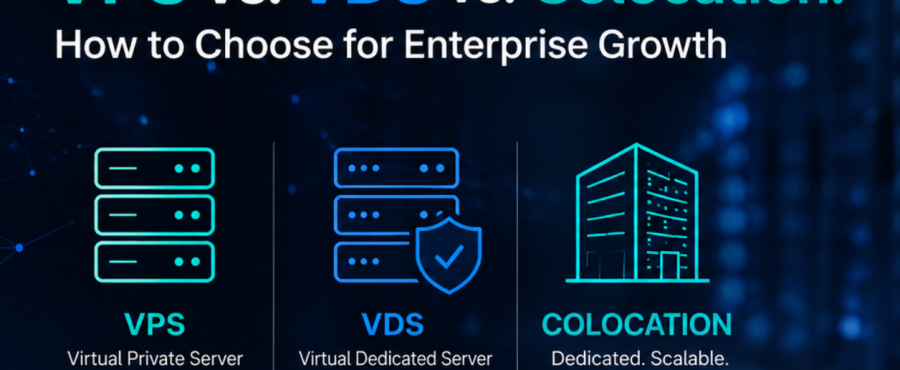
A virtual private server can be useful when a company needs flexible hosting without managing physical hardware. A virtual dedicated server may be a better fit when the business needs more predictable virtual resources. Colocation becomes more relevant when growth requires dedicated hardware, stronger control, private networking, or a data center environment built around long-term infrastructure planning.
What Is a VPS?
A VPS, or virtual private server, is a virtualized server environment created from part of a physical server. It gives the customer access to allocated resources and administrative control, while a provider manages the underlying hardware.
VPS hosting can work well for websites, applications, and business systems that need more control than basic shared hosting. It is often practical when a company wants hosting flexibility without purchasing or managing physical hardware.
The limitation is that a VPS still depends on the provider’s virtualized infrastructure model. Performance, resource allocation, and scalability can vary by plan, configuration, and provider design. For systems that need predictable performance, a VPS may eventually feel restrictive.
What Is a VDS?
A VDS, or virtual dedicated server, is also virtualized, but it is usually positioned around more dedicated resource allocation. In many provider models, a VDS gives the customer reserved CPU, RAM, storage, or bandwidth resources that are less affected by other users on the same physical infrastructure.
That makes a VDS useful when a business wants the deployment advantages of virtualization but needs more predictable performance than a basic VPS plan may provide. A VDS may fit heavier applications, production systems, or business workloads where resource consistency matters.
The tradeoff is that a VDS still keeps the business inside a provider-controlled virtual environment. It can offer more consistency than a VPS, but it does not provide the same hardware ownership, physical access, or infrastructure control that colocation can support.
How Is Colocation Different?
Colocation is different because the business owns or controls the physical hardware and places it inside a third-party data center. The colocation provider supplies the facility environment, including space, power, cooling, security, network access, and support options.
For enterprise growth, colocation becomes relevant when infrastructure needs move beyond renting virtual resources. A business may need dedicated hardware, predictable performance, compliance control, specialized equipment, private networking, or long-term cost planning around physical assets.
Colocation is not automatically the right choice for every growing company. It creates more responsibility because the organization must plan, own, and maintain its hardware. However, it can be a stronger fit when control, durability, and infrastructure customization matter more than virtual-server convenience.
VPS vs. VDS vs. Colocation: What Should Businesses Compare?
The clearest comparison starts with the workload. If the business needs fast deployment, modest control, and flexible hosting for standard applications, a VPS may be enough. However, if it needs stronger resource consistency but still wants a virtualized environment, a VDS may be more appropriate. Also consider if it needs control over physical infrastructure, as colocation may be the better long-term model.
Performance is one of the biggest decision points. VPS performance depends on the provider’s resource allocation and shared-hardware design. VDS hosting is generally built to provide more predictable virtual resources. Colocation gives the business direct control over the hardware profile, which can support workloads that need dedicated compute, storage, or network architecture.
Scalability also looks different across the three models. VPS hosting can scale by changing plans or adding instances. VDS hosting can scale through larger virtual resource allocations. Colocation scales through physical infrastructure planning, including rack space, power capacity, bandwidth, cross-connects, and hardware expansion.
Operational responsibility is another key difference. VPS and VDS models shift more infrastructure management to the provider. Colocation gives the business more control but requires more planning around equipment, lifecycle management, and technical support.
How Does Enterprise Growth Affect the Decision?
Enterprise growth means a company is moving toward more sustainable, scalable operations. That can include revenue growth, new markets, larger customer bases, more complex applications, stronger security requirements, or more demanding internal systems.
A hosting model that works during an earlier stage may not support the next stage well. A VPS may be practical when the priority is speed and cost control. A VDS may help when workloads need more predictable resources. Colocation may make sense when the business needs dedicated infrastructure for long-term performance, compliance, networking, or operational resilience.
A company should choose the model that matches the current workload and the next phase of growth. Waiting too long can create performance limits, migration pressure, or infrastructure risk.
Choosing the Right Infrastructure Path
A VPS, VDS, and colocation data center each support a different stage of infrastructure growth. VPS hosting offers accessible virtual-server flexibility. VDS hosting can provide a more dedicated virtual-resource model. Colocation services support businesses that need physical infrastructure in a secure, professionally managed data center environment.
Lightwave Networks provides colocation services, cloud servers, VPS servers, and related infrastructure services for businesses evaluating how their systems should scale. If your organization is comparing VPS, VDS, and colocation options, start with the workload, control requirements, performance needs, and growth plan. Contact one of our engineers to discuss an infrastructure path that fits your next stage of growth.
VPS, VDS, and Colocation FAQs
What is the difference between VDS and VPS?
The main difference between VDS and VPS is resource allocation. A VPS uses allocated resources on shared physical infrastructure. A VDS is typically positioned with more reserved resources for more predictable performance.
Is colocation better than a VPS?
Colocation is not automatically better than a VPS. It is better suited for businesses that need physical hardware control, predictable infrastructure, private networking, or long-term data center capacity.
When should a business move from VPS to colocation?
A business may consider moving from VPS to colocation when virtual hosting no longer provides enough control, consistency, compliance support, or infrastructure flexibility.
RELATED READINGS:
Colocation Pricing Models Explained: Space, Power, and Bandwidth Costs